
 English
 Español
 Français
 Deutsch
 Português
 日本語
日本語
 中文
中文
 العربية
 한국어
한국어
 Italiano
 Русский
 Türkçe
 Nederlands
 Polski
 हिन्दी


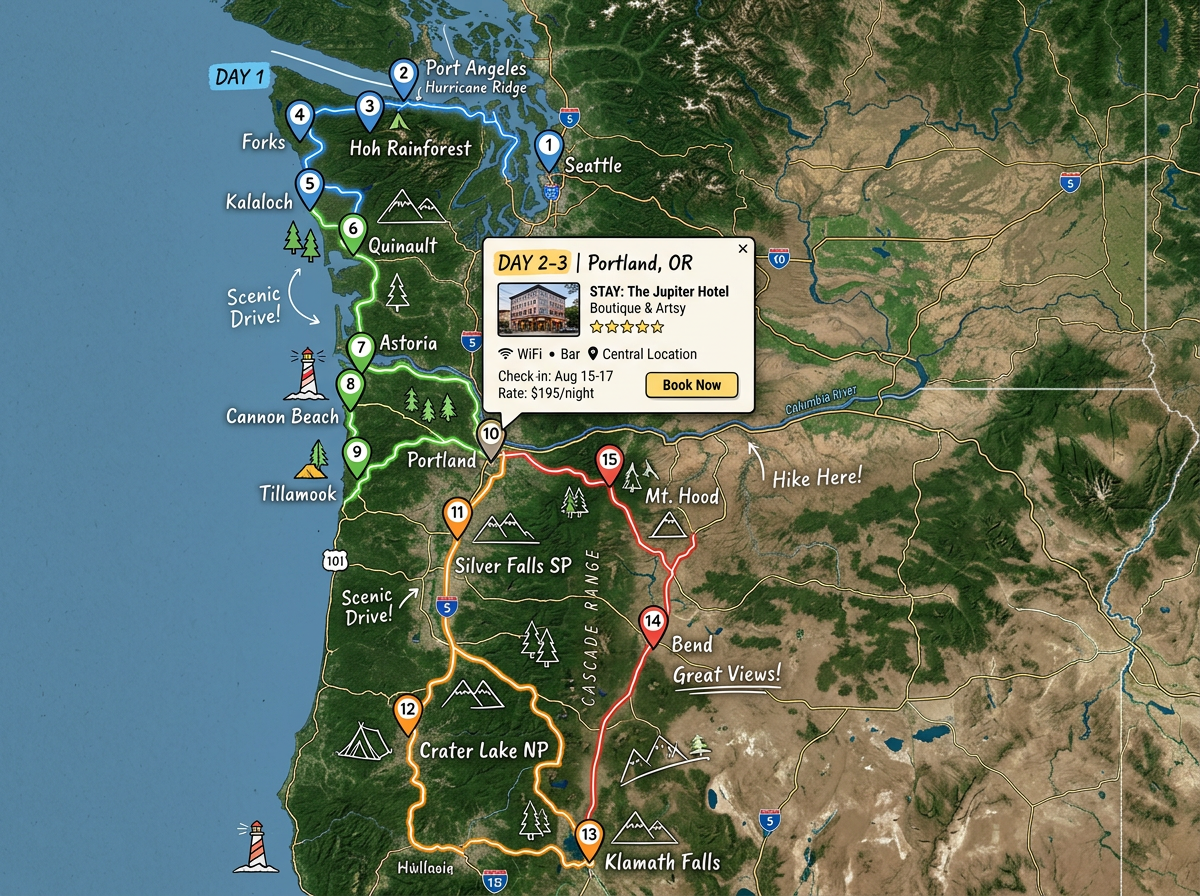
Road trips
Plan a long drive with stops for gas, food, sights, and overnight hotels. Color stops by day so the trip stays organized for the whole group.
Drop every stop on a map and connect them in order. Attach notes, photos, and links to each pin so your group has the full plan in one place. Share a single link that opens on any phone.
★ ★ ★ ★ ★“I personally use this for making my travel plans. Also, it is very easy to share with anyone.”
Drop pins for hotels, sights, food, and parking. Add a photo, a website link, and a note to each one. Your whole plan sits on one map.
Send one link to friends, family, or colleagues. They open the trip on their phone and see every stop, in order, with the notes you added.
Move a stop, add a backup spot, or swap in a new restaurant. Every viewer sees the latest plan the next time they open the link.
Plan a long drive with stops for gas, food, sights, and overnight hotels. Color stops by day so the trip stays organized for the whole group.
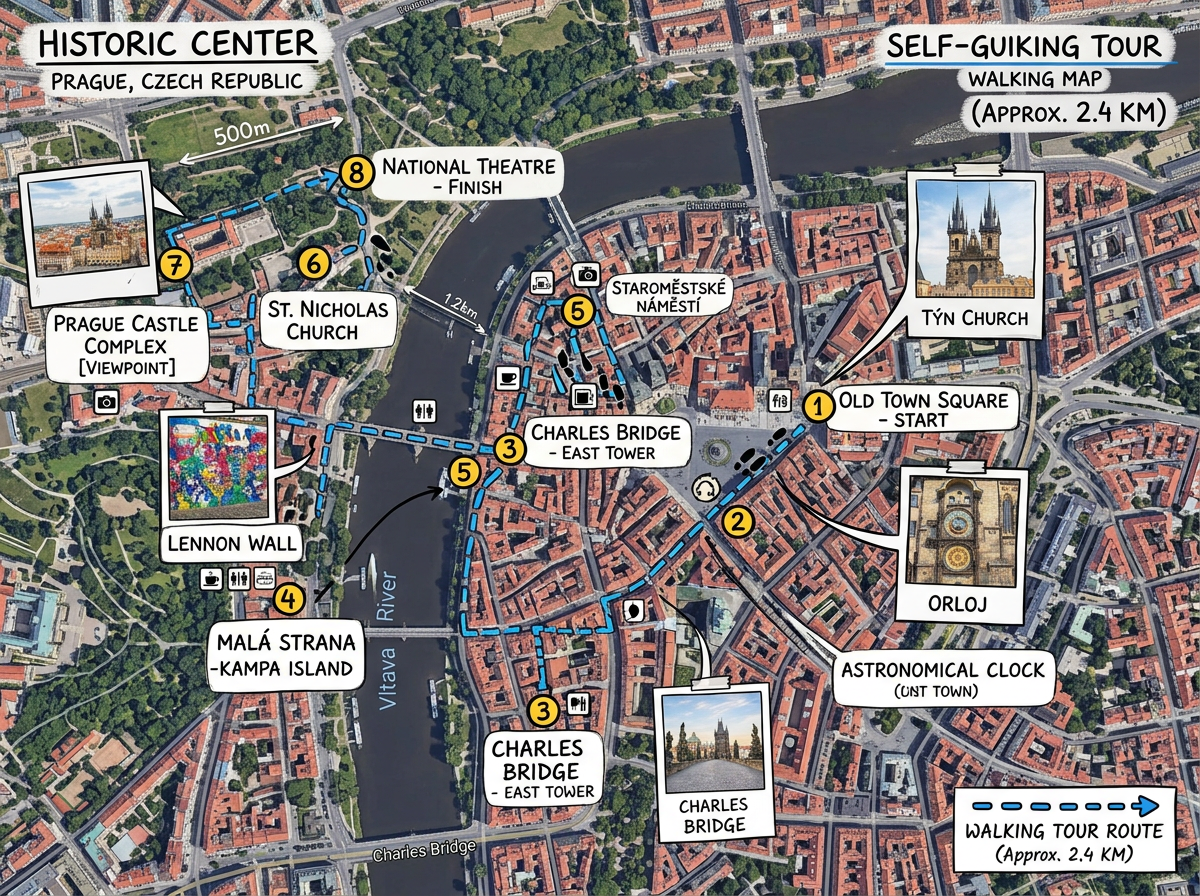
Build a walking tour of a city. Pin every stop with photos and notes. Send the map to friends visiting town and they explore on their own time.
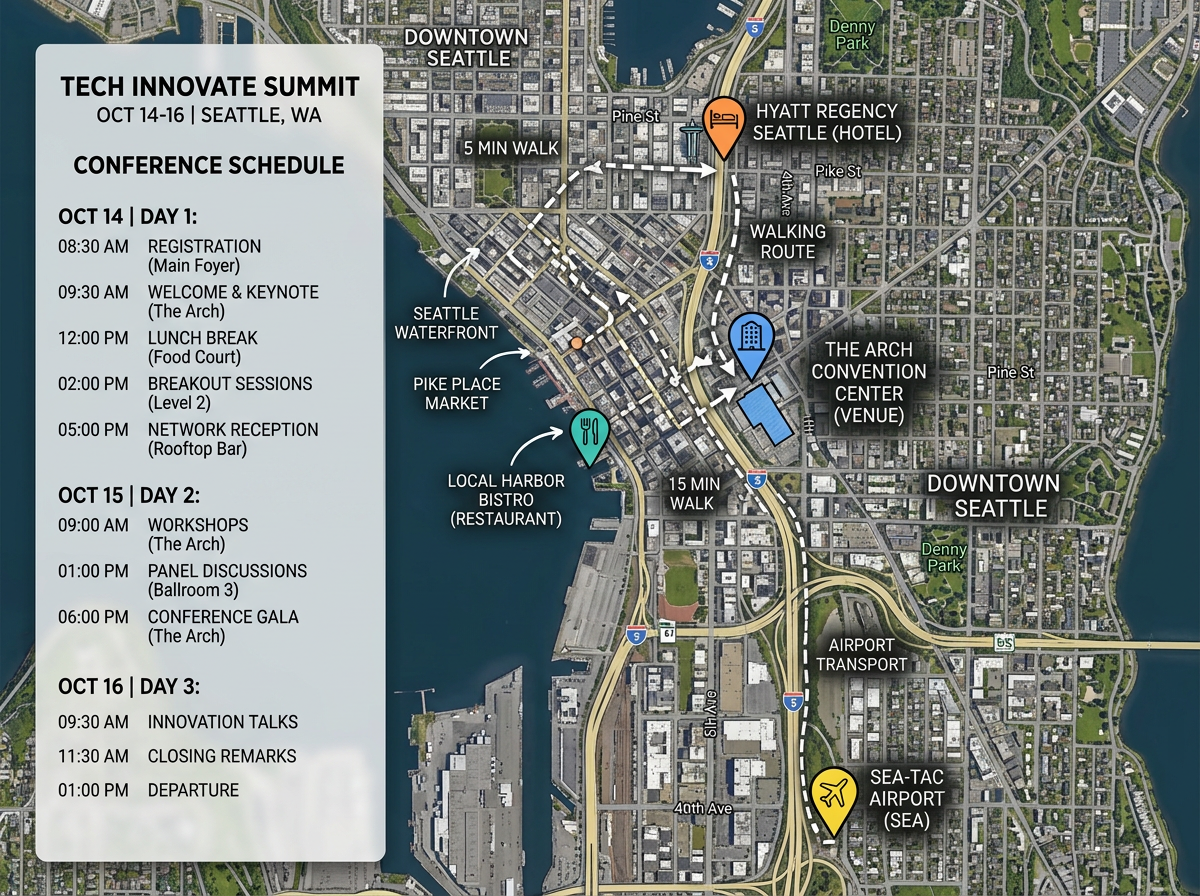
Pin the venue, the hotel, the dinners, and the airport. Send the map to every attendee. Late changes show up the moment you save them.
Scribble AI
Tell Scribble AI what you need. Try “draw a 500m buffer around every site,” “import this CSV and color by status,” or “measure the route from the depot to each stop.” It does it in seconds. No GIS training needed, and your team gets the same map, ready to share.
Try Scribble AI →Drop a pin for every stop. Connect them in order with a route line. Add notes, photos, and links to each pin. Share the map with your group.
Yes. The map opens in any modern browser. Your group can pan, zoom, search, and tap any pin from a phone, tablet, or laptop.
Yes. Move stops, add new ones, or swap in a backup spot any time. The next time someone opens the link they see the new version.
Yes. Color code stops by day or use a separate layer for each day. Viewers can toggle days to keep the map clean.