
 English
 Español
 Français
 Deutsch
 Português
 日本語
日本語
 中文
中文
 العربية
 한국어
한국어
 Italiano
 Русский
 Türkçe
 Nederlands
 Polski
 हिन्दी


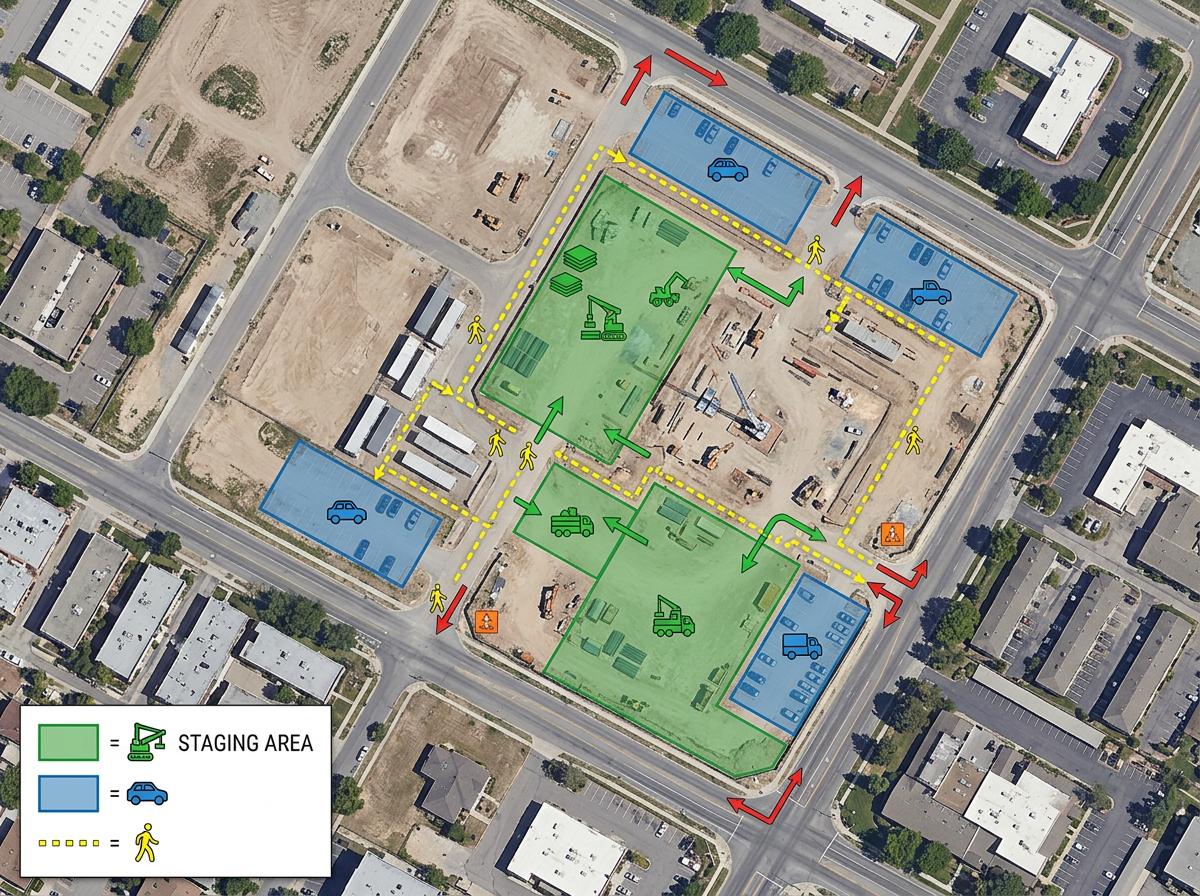
Site logistics planning
Plan trailer locations, gate access, crane swing radius, laydown zones and pedestrian routing before the first truck rolls in.
Site logistics, equipment placement, access routes and stakeholder updates, on one map every team can edit and share.
 4.7 / 5 · 200 reviews on G2
★ ★ ★ ★ ★“What I appreciate most about Scribble Maps is its intuitive interface and versatility. It enables me to easily draw, label, and personalize maps without needing advanced GIS expertise. Being able to view distances between points and share this information with workers has made it an invaluable tool for planning and communicating on my job sites.”
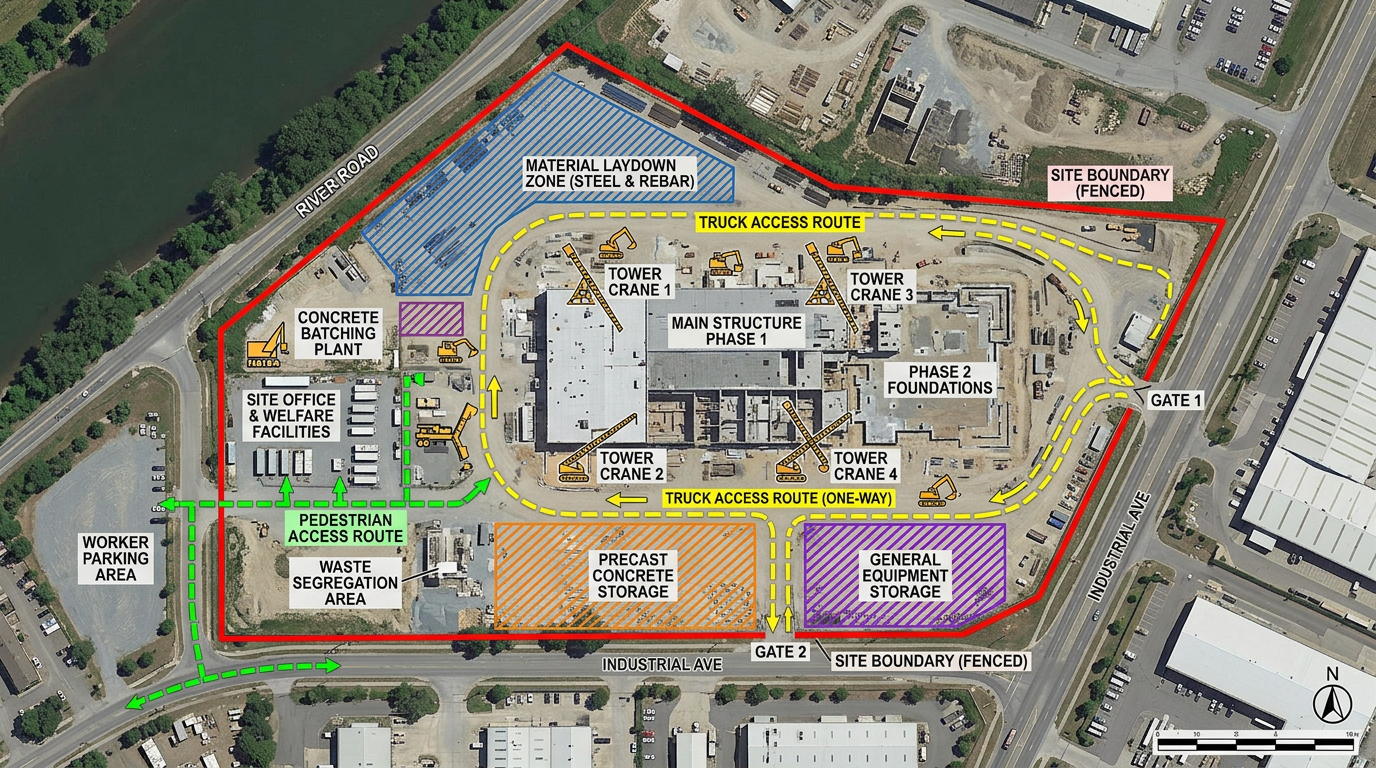
Drop fences, gates, crane radius, laydown zones and access routes onto satellite imagery. No CAD experience required.
Send a link to your GC, owner, subs or city inspector. They open it in a browser. No account, no install.
Import KML, Shapefile, GeoJSON, CAD exports and CSVs. Layer plans on top of the map and re-share instantly.
Plan trailer locations, gate access, crane swing radius, laydown zones and pedestrian routing before the first truck rolls in.
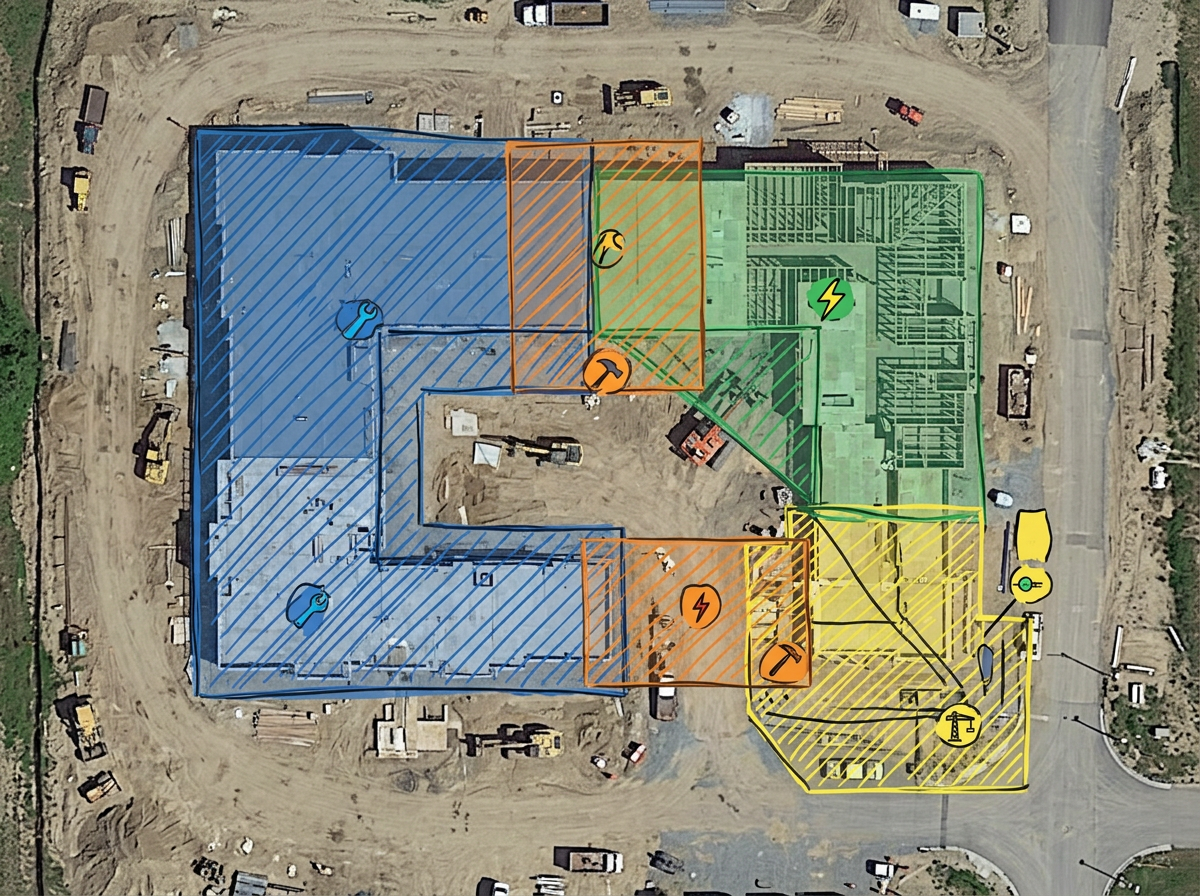
Mark each subcontractor's work area on the same map so crews don't collide and inspections happen on schedule.
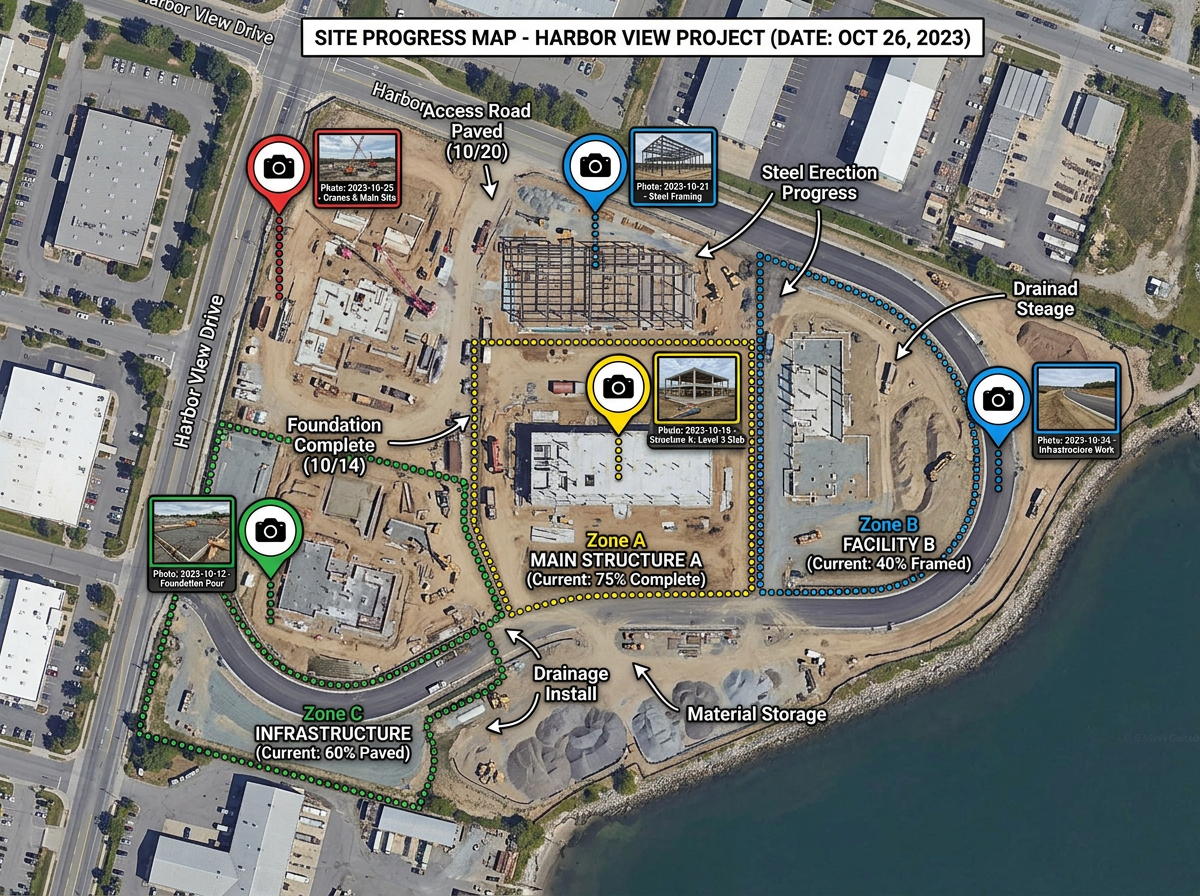
Annotate progress, capture photos at known coordinates, and share read-only links to keep stakeholders informed.
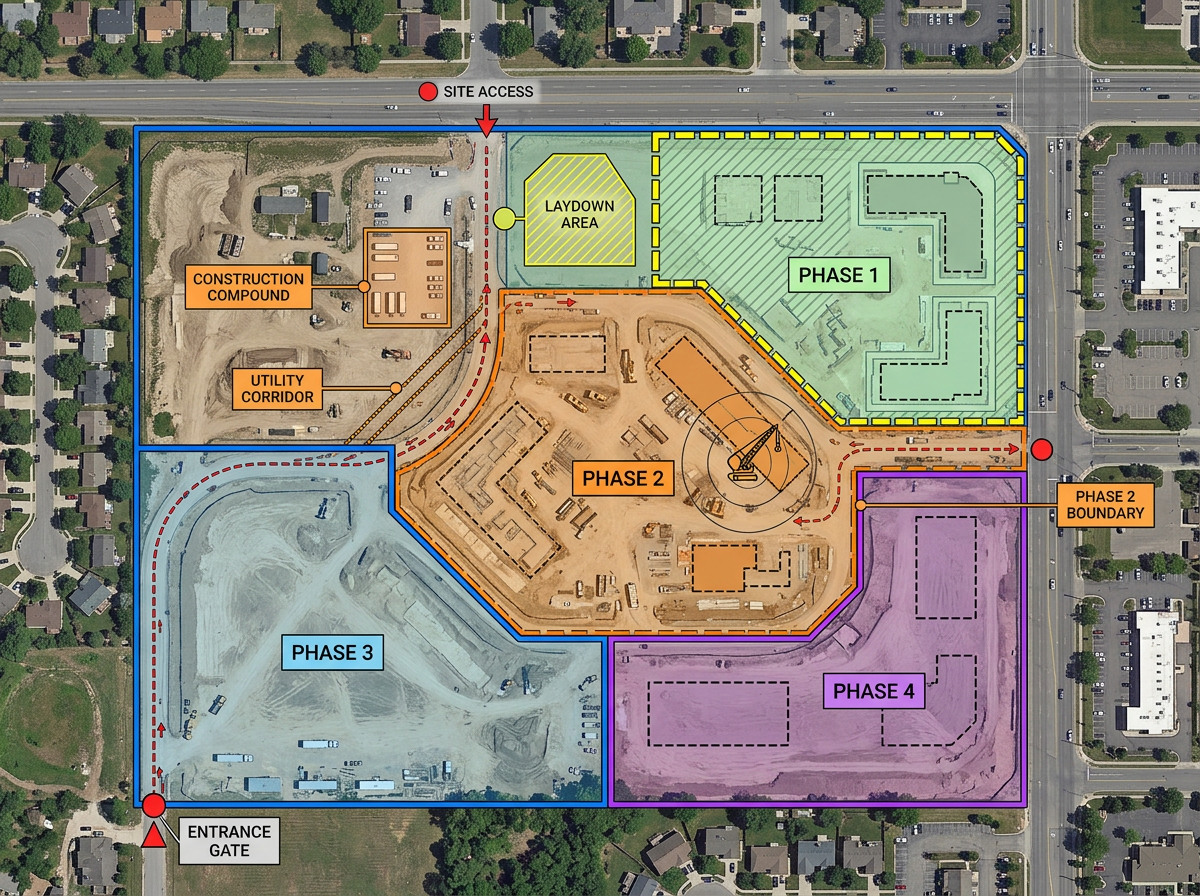
Walk a GC or owner through your proposed approach with a marked-up satellite view they can rotate, zoom and comment on.
Scribble Sight
Find the best locations for construction using Places, foot-traffic, Walkscore™, demographics, air quality, pollen and more. Compare candidates side by side and turn instinct into a data-backed decision.
Try Scribble Sight →Scribble AI
Tell Scribble AI what you need. Try “draw a 500m buffer around every site,” “import this CSV and color by status,” or “measure the route from the depot to each stop.” It does it in seconds. No GIS training needed, and your team gets the same map, ready to share.
Try Scribble AI →★ ★ ★ ★ ★“What I appreciate most about Scribble Maps is its intuitive interface and versatility. It enables me to easily draw, label, and personalize maps without needing advanced GIS expertise.”
★ ★ ★ ★ ★“Gives us the ability to mark areas on maps that may be hard to find for our subcontractors. Some of our work areas are not necessarily a designated address, rather it is an area.”
No. Scribble Maps is designed for project teams. If you can use Google Maps you can use it. Subcontractors and owners open shared links in a browser with no install.
Yes. Import KML, Shapefile, GeoJSON, GPX, DXF or CSV files. You can also overlay floor plans or historical aerial imagery as image layers.
Click Share, choose view-only or edit access, and send the link. No account is required to view a shared map.
Free to start. Paid options add private maps, larger uploads, custom branding and admin controls. See the pricing page for details.